Feature
By Shubham SinghIdentity: rename and shape your assistant in chat
Members can rename their assistant and change how it talks directly in chat, with clear notices and a one-step undo.
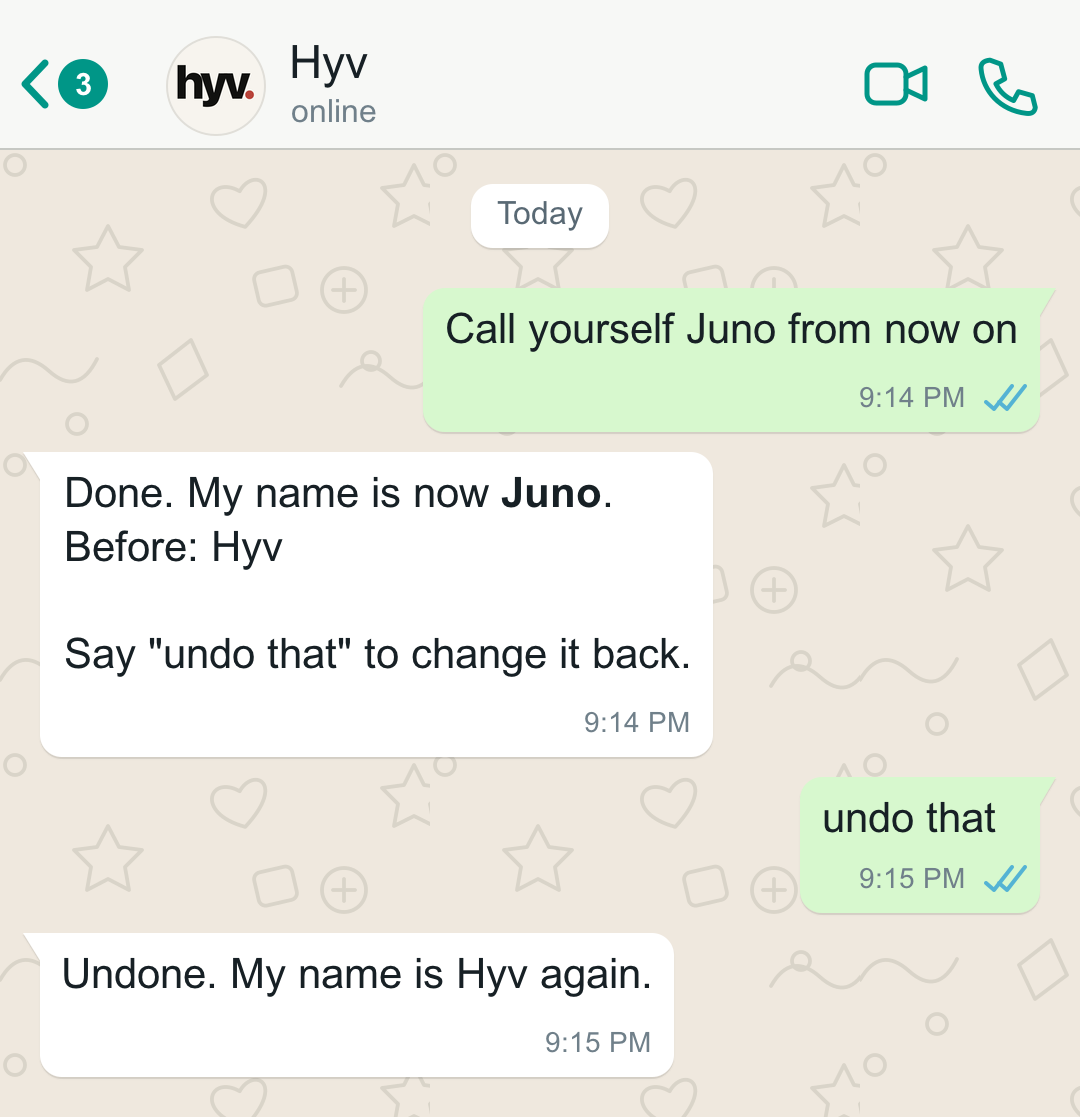
You can rename your assistant and change how it talks directly in chat. Every update is saved as a new version, announced clearly in the conversation alongside the previous setting, and easy to reverse with a single reply.
How it works
To make a change, tell Hyv the new name you want to use or how you would like it to speak. You can replace the current style or add new instructions to it. When an update takes effect, Hyv posts a clear notice in the chat showing what changed and what the previous value was.
If you change your mind, say undo that. Hyv will revert everything that the last request changed in one step.
Groups and approvals
In a private chat, your own requests apply right away. In a group chat, Hyv checks who has been speaking before changing how the group's assistant behaves:
- Direct changes by the admin: If every message in the group since Hyv's last reply came from the group admin, the admin's request applies right away.
- Approval cards for everything else: If a non-admin asks for a change, or if other people have spoken in the chat since Hyv's last reply, Hyv sends an approval card to the group admin instead.
- Checked on click: When the group admin taps the card to approve, Hyv checks the request again before applying the change.
Limits
A few rules keep your assistant's identity steady and prevent unwanted edits:
- Safe undo: Saying undo that reverts the settings from the last request, but it will never overwrite a setting that was changed again since then.
- Permission to undo: Nobody can use undo to revert a setting they would not be allowed to change directly.
- History is kept: Every change adds a new version to the history rather than erasing the old one, so previous values are always recorded.
- Clean text and outside content: All identity text is cleaned and checked before it is saved. Instructions hidden inside web pages or outside text are refused so a page you read cannot quietly rename your assistant or alter how it talks.
Where it is today
Member-owned identity is built and tested. We checked direct renames and undos in private chats, non-admin requests in groups triggering approval cards for the group admin, direct changes by a group admin, and refusal of untrusted instructions from web pages.
Questions
How do I undo a change?
Say "undo that". Hyv reverts everything the last request changed, in one step.
Can someone else in a group rename the assistant?
Not on their own. If someone other than the group admin asks, or others have spoken since Hyv's last reply, the group admin gets an approval card first.
Can a web page change my assistant's name?
No. Instructions hidden inside web pages or other outside text are refused.
Private by default. Consent before people. Restraint before action.
Drafted with AI from the change we shipped.
Hyv is invite-only for now.
Ask for an invite and we will set you up.
More from Insights · Add Hyv as a preferred source on Google · Also on Substack